
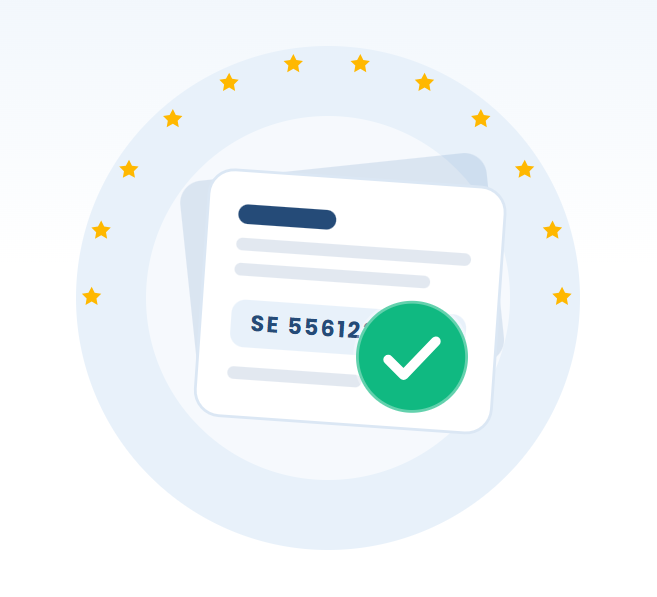
Your EORI number is a stable identifier — in most cases it stays with your business for its entire trading life, even after you move premises or rebrand. What actually needs to change is the master data held against that number: your address, business name, VAT registration and contact details. When those records fall out of date, customs systems flag mismatches and your shipments can sit in clearance limbo. This guide explains how to update EORI details, when a fresh number is genuinely required, and how to cancel an EORI number if you stop trading.
The number stays — the data behind it changes
An EORI number is tied to a legal entity, not to an address or trading name. If you keep the same legal entity, you keep the same EORI. That means moving office, changing your phone number, or trading under a new brand does not require a new EORI — but it does require you to update the information linked to it.
Why it matters: customs declarations, import VAT records and freight paperwork are matched against the details HMRC (or the relevant EU authority) holds for your EORI. If a broker submits a declaration with your current address but HMRC's record shows the old one, the mismatch can trigger queries, holds or rejected entries.
Common changes that only need a data update
- New business address or registered office
- Change of trading name or brand (same legal entity)
- New VAT registration number or VAT status
- Updated contact person, email or telephone
- Change of correspondence address
How to update your EORI details in the UK
In the UK, EORI records are managed by HMRC and linked to your Government Gateway account. To change EORI number details, sign in with the credentials you used when you applied. If you can't recall your number, you can find your EORI number before you start.
- Sign in to your Government Gateway (business tax) account.
- Locate your EORI registration and select the option to amend your details.
- Update the fields that have changed — address, name, VAT number or contacts.
- Submit and keep a record of the confirmation.
If your online account no longer works, or the change is one the portal won't let you make, contact HMRC's EORI team directly. Some amendments — particularly those tied to your Companies House record or VAT registration — may update automatically once HMRC's linked systems refresh, but you should always verify rather than assume.
Check the record after you change it
Once you've submitted an update, confirm it has landed. You can run your number through the EORI checker to confirm it's still active and valid. Note that public validation tools confirm validity rather than displaying your full address, so for master-data changes it's wise to also keep HMRC's written confirmation on file for your freight forwarder.
Updating an EORI issued by an EU country
If your EORI was issued by an EU member state rather than the UK, the process differs by country because each national customs authority runs its own registration system. The principle is the same — the number persists, the data is amended — but the mechanics vary.
| Aspect | UK (HMRC) | EU member states |
|---|---|---|
| Where to update | Government Gateway / HMRC EORI team | National customs authority portal or office |
| Prefix | GB (or XI for Northern Ireland) | Country code, e.g. DE, FR, NL, IE |
| Typical linked record | Companies House and VAT | National trade/VAT register |
| Language | English | Usually the national language |
Contact the customs authority in the country that issued your number. If you hold an XI EORI for Northern Ireland movements alongside a GB one, remember they are separate registrations and each set of records must be kept current.
When you actually need a brand-new EORI
Sometimes an update isn't enough because the entity itself has changed. If the legal person behind the trade is no longer the same, the old EORI can't simply be edited — a new one must be issued to the new entity.
Situations that require a fresh EORI
- Change of company registration number — for example converting from a sole trader to a limited company, the limited company is a new legal entity and needs its own EORI.
- Mergers and acquisitions — where one company absorbs another or a new entity is formed, the surviving or new entity needs an EORI that reflects its own registration.
- New legal form — moving from a partnership to a limited company, or setting up a new company to take over trading, creates a new legal person.
- New VAT registration under a different entity — if the business is registered afresh under a different legal identity.
In these cases, apply as you would for a first-time registration. Our guide on how to get an EORI number walks through the application. Once the new number is live, make sure your freight forwarders and customs brokers switch to it and stop using the old one to avoid split records.
Rebrand vs. restructure — a quick test
Ask one question: is it the same legal entity? If yes (you only changed a name, address or branding), update the existing EORI. If no (a new company number, a new legal form, a merged entity), you need a new EORI.
How to cancel or deregister an EORI number
If your business stops all customs activity — you cease trading, dissolve the company, or no longer import or export — you can cancel your EORI number so records don't linger against a dormant entity. Deregistration keeps customs databases clean and reduces the risk of your number being misused.
- Confirm you genuinely have no further need — including any Northern Ireland or EU movements.
- Contact HMRC (or the issuing EU authority) to request deregistration of the EORI.
- Provide the EORI number, entity details and the reason customs activity has ceased.
- Retain your customs and import VAT records for the statutory period even after cancelling.
Don't cancel prematurely. If there's any chance you'll trade across a border again — even occasionally for samples or returns — it's usually simpler to leave an active EORI in place than to reapply later.
Your next step
Start by confirming which detail has actually changed and whether your legal entity is the same. If it is, update the master data with HMRC or your EU authority and keep the confirmation for your broker. If a new entity has taken over, apply for a fresh number and retire the old one cleanly. Either way, run a quick validation with the EORI checker so you know your records are active and consistent before your next shipment moves.
Comments (0)
No comments yet. Be the first to share your thoughts!
Leave a comment
Your comment will appear after it's reviewed. Your email is never shown publicly.